LANDR is good at the job it was built for. Upload a stereo bounce, pick a style, get a louder and more consistent file back in a minute. If that is all you need, and you release often enough for a subscription to make sense, it is hard to argue with. Most people searching for a LANDR alternative are not unhappy with the loudness. They are unhappy that the vocal is still buried, the kick and bass still fight, and the result still sounds like their mix, only louder. That is not a LANDR problem. It is a stereo-file problem, and no mastering service can solve it from a stereo file.
Why a stereo master cannot fix your mix
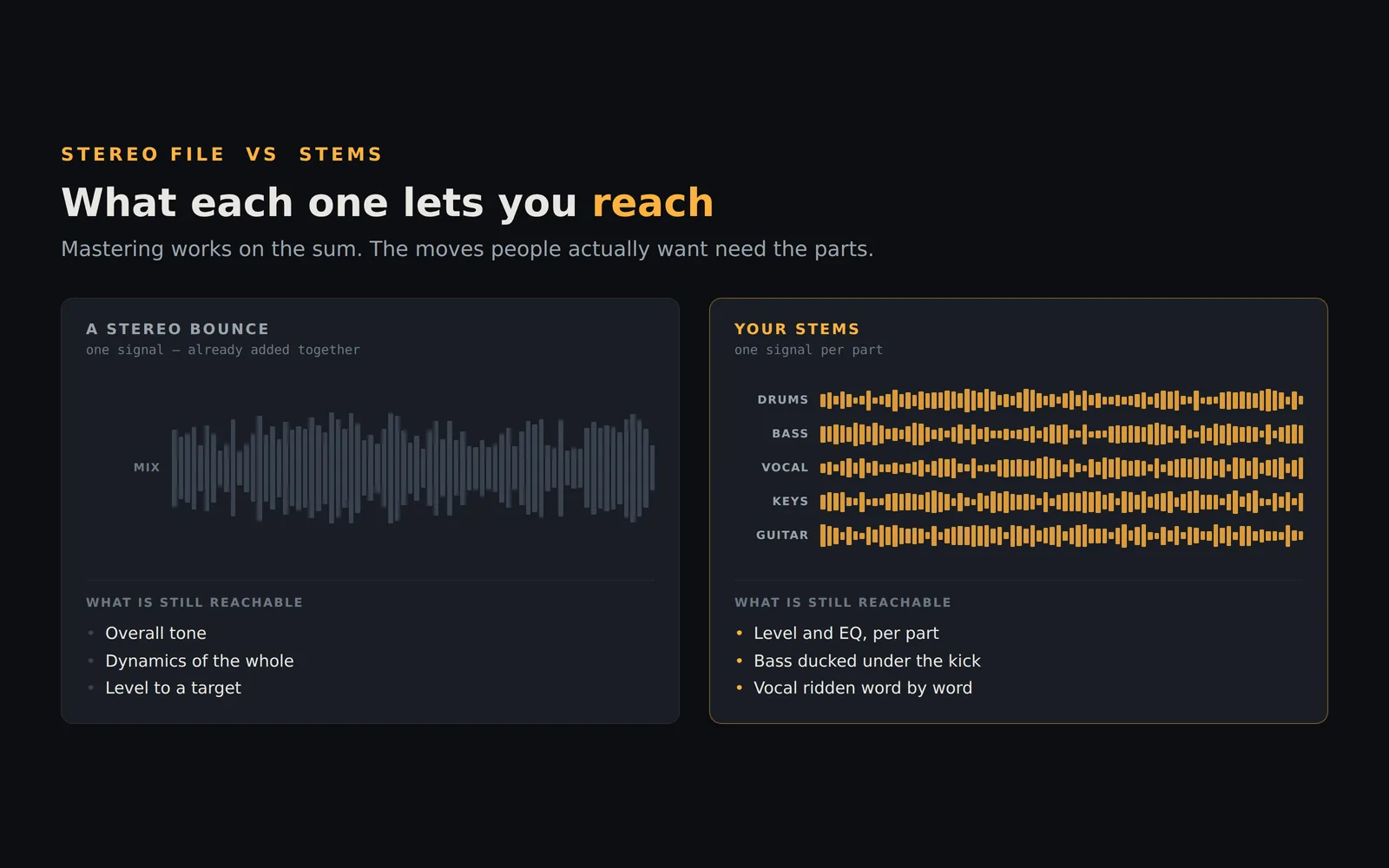
A mastering engine, human or automated, works on the sum of everything you sent it. It can shape the overall tone, control the dynamics of the whole, and bring the level up to a target. It cannot turn down a hi-hat without also dimming the vocal that sits in the same frequency range. It cannot ride the lead vocal up in the chorus. It cannot duck the bass under the kick. Those are mixing moves, and they need the individual tracks. We wrote a longer piece on this in Stem Mixing vs Stereo Mastering, and a more pointed one on why AI mastering cannot fix a buried vocal.
If you have ever mastered a track with LANDR, listened back, and thought “it's loud, but the problems are still there”, you already understand the limit. The fix is not a different mastering service. It is doing the mixing step before the mastering step.
What StemMaster does differently
StemMaster is a desktop application for Windows and Apple Silicon Macs. Instead of a stereo file, you give it the stems: drums, bass, vocals, guitars, keys, whatever your session has. It analyses each one, then mixes the song before it masters it. Levels, panning, EQ, compression, section automation that rides levels across verses and choruses, a vocal rider that works word by word, spectral unmasking between tracks that fight for the same range, and kick-bass separation. Then the master: multiband compression, EQ, saturation and true-peak limiting to a loudness target such as −14 LUFS for streaming or −9 LUFS for club use.
The part people notice first is the Engine Notes panel. Every decision the engine makes is written down in plain language, with the measurement that justified it. “Bass ducked 2.1 dB at 62 Hz on kick hits” rather than a spinning progress bar and a finished file. If you disagree with a decision, move the fader or change the setting and the master re-renders in seconds. A loudness-matched A/B lets you compare the result against your raw stems without the louder version winning by default.
Nothing is uploaded. The built-in analysis engine is the default and runs fully offline on your machine, with no account. There is an optional second engine that uses an AI model through your own API key, and it receives measurements only, never audio. It also works with Ollama, so even that path can stay entirely on your computer.
Price, and what a year actually costs
StemMaster is $99, once. The licence covers up to 3 activations, Windows or Mac in any combination, and includes every 1.x update. There is a 14-day money-back guarantee, no questions asked.
LANDR is a subscription, with tiers that differ in what formats you can download and what else is bundled — distribution, samples, plugins. Which tier you need depends on whether you want lossless masters and how many tracks you put out. Rather than quote figures that change, check landr.com/pricing for today's numbers and do the arithmetic against a one-time $99: the question is simply how many months of the tier you actually need adds up to more than owning a tool outright. If subscriptions are the thing you are trying to get away from, there is a separate post on mastering software you own outright.
When LANDR is still the better choice
We would rather you pick the right tool than pick ours. LANDR wins in a few clear cases. If you only have a stereo bounce and no way to get stems, StemMaster cannot help; it needs the multitrack. If you work from a phone or tablet, LANDR runs in the browser and StemMaster does not. If you are on an Intel Mac, StemMaster is not available for you; it needs Apple Silicon and macOS 15 or newer. If you want distribution, samples and plugins bundled with your mastering in one subscription, LANDR's ecosystem is built for exactly that. And if you master two or three songs a year, per-track pricing may cost you less than any licence. The full side-by-side, including eMastered, is on the comparison page.
How to switch in an afternoon
Open the last song you mastered with LANDR and export its stems from your DAW. One file per instrument group is enough; the export guide covers the settings for the common DAWs and the mistakes that cost people an hour. Load the folder into the StemMaster demo, label the stems, pick a loudness target, and press the button. Read the Engine Notes while it works. Then A/B the result against your LANDR master at matched loudness and listen to the vocal and the low end specifically. That comparison will tell you more than any review, including this one.
The demo is the complete application with exports disabled and a short tag that plays periodically over mastered playback. Nothing about the sound is held back, so what you hear is what you would get.
The short version
If your masters are loud but your mixes are not fixed, you do not need a different mastering service. You need the mixing step, and you need it to show you what it did so you can trust it or change it. That is the job StemMaster was built for.