StemMaster has a DIRECTION box along the top. You type what you want the mix to sound like, and the engine takes it into account. Which engine reads it, though, changes what you should type — and until 1.1.51 nothing in the app told you that.
Two engines, one box
The built-in engine is the default. It needs no account, no key and no connection, and it is what the free demo runs, so it is the one most people meet first. It does not understand language. It looks for a fixed list of terms and applies a bias for each one it finds, and everything else in your sentence is ignored. That is a reasonable thing for an offline engine to do, and we would rather say so than pretend otherwise.
The optional AI engine runs on your own API key and reads the sentence properly. It receives measurements only — never your audio.
So on the built-in engine, "make it a bit more aggressive" works and "give it some attitude" does nothing at all. Same request, same intent, and one of them lands. The words matter, and there was no way to discover them without leaving the app for the manual.
The button that could not help the people who needed it
There has always been a button beside the box that suggests directions. It asks the AI to pitch four ideas written for the stems you have actually loaded, which is a better tool than any fixed list — and it refused to run without an API key.
Read that next to the paragraph above and the problem is obvious in hindsight. The AI engine is the one that does not need a vocabulary, because it reads whatever you write. The engine that needs the exact words is the one running for everybody without a key. The only feature that taught the vocabulary was switched off for exactly the users who had to know it.
What 1.1.51 does
The same button now offers whichever kind of help matches the engine that is going to read the box. With the AI engine on, it does what it always did. With the built-in engine — the default — it opens the vocabulary:
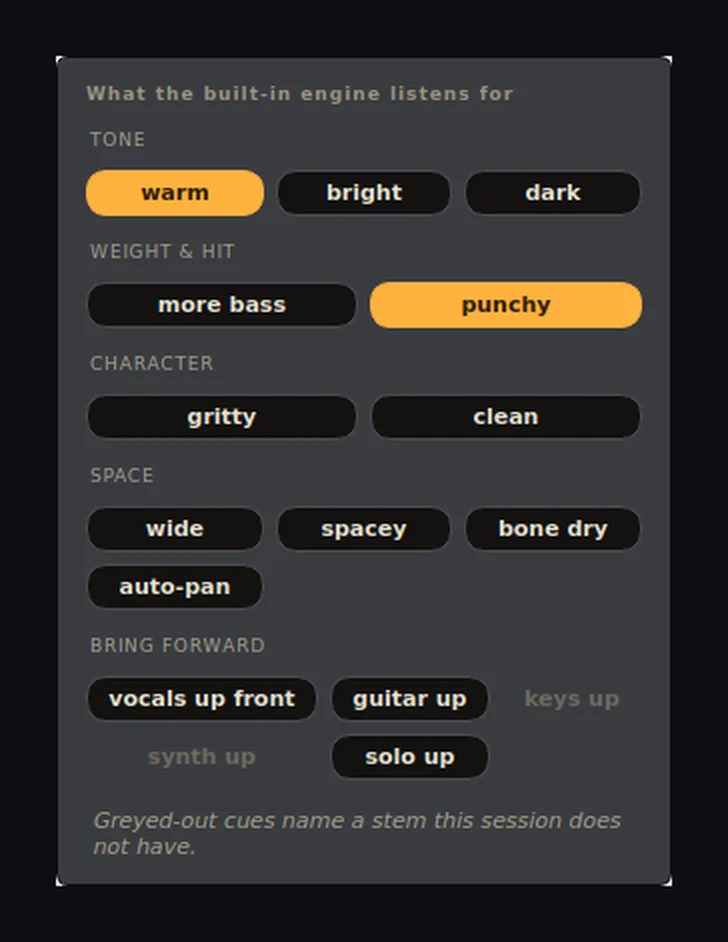
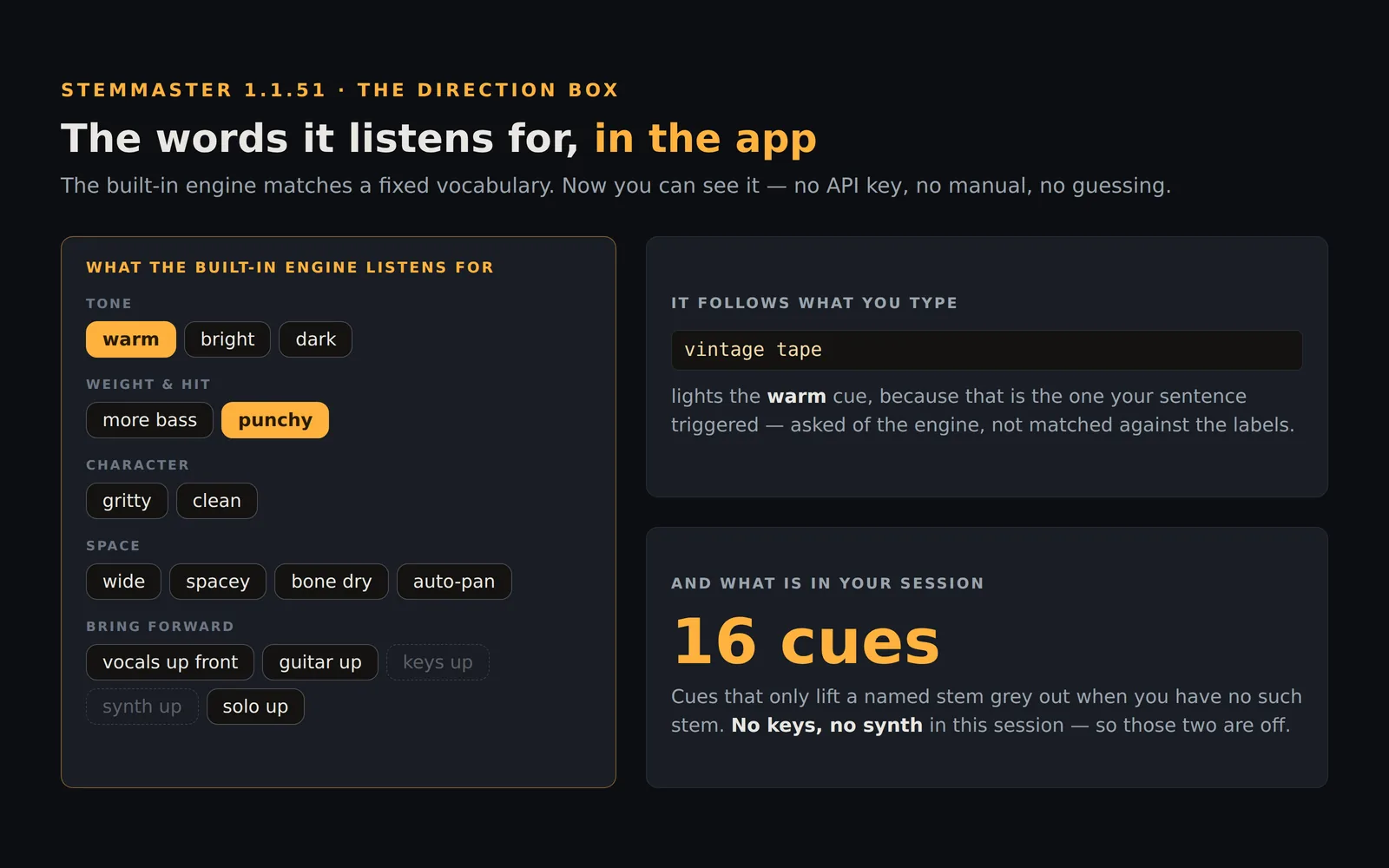
Sixteen cues, grouped by what they change. Click one and it types itself into the box, so you can pick a word and carry on writing around it — the box is still the thing both engines read, and it is still saved with your session.
It knows what is in your session
Five of the cues do nothing except lift a named stem. There is no point offering to bring the guitar up in a song with no guitar in it, so those grey out when the session has no such stem — keys up and synth up in the picture above. The ones that stay available are the ones that still do something: more bass also shelves the master bus, punchy also changes the compressor, so both are useful whatever stems you loaded.
It follows what you type
The cues light up as you go. Type vintage tape by hand and the warm cue lights, because that is the one your sentence just triggered — the palette asks the engine what it heard rather than matching the labels on its own buttons. It is the same answer the status bar gives you underneath the box.
Un-tick a cue that you typed a synonym for and it will not silently rewrite your sentence. It tells you which word is holding it, which happens to be the last piece of vocabulary you were missing.
The manual is still there, and still says more
The palette tells you the words. The Direction reference tells you what each one does to the mix — which shelf, how many dB, which stem — along with every synonym that reaches the same cue. That page is generated from the same table the engine matches against, so it cannot drift out of date, and neither can the palette.
StemMaster 1.1.51 is out now for Windows and macOS on Apple Silicon. Existing licences update for free; the app will tell you when it is there.