Press kit
Everything an outlet usually asks for, in one place. Anything here can be quoted or reproduced without asking. If you need something that is not here — a different screenshot, a review licence, a specific question answered — email info@nomzstudios.com and you will get a reply from the person who wrote the software.
Fast facts
| Product | StemMaster |
| Developer | NOMZ Studios (Nomzstudios For Online Selling, Dubai, UAE) |
| Current version | 1.1.54 |
| Platform | Windows 10/11, and macOS 15 or newer on Apple Silicon — M1 or later; Intel Macs are not supported. A standalone desktop application — not a plugin |
| Price | Get StemMaster — $99 USD one-time. Free updates across the 1.x series. |
| Licence | One purchase covers both platforms — the same 3 activations in total, Windows or Mac, not 3 of each. Deactivate and move a machine at any time |
| Demo | Windows or Mac — the full application with exports disabled and a periodic tag on mastered playback |
| Buy | Polar checkout (merchant of record) |
| Website | nomzstudios.com |
| Changelog | nomzstudios.com/changelog |
| Contact | info@nomzstudios.com |
Boilerplate
One line
Short
Longer
What is new
The last 4 releases, newest first. 1.1.54 is current. Full history at /changelog.
1.1.54 current
Mastered stem export, an update notice that stops disappearing, and a File menu that remembers.
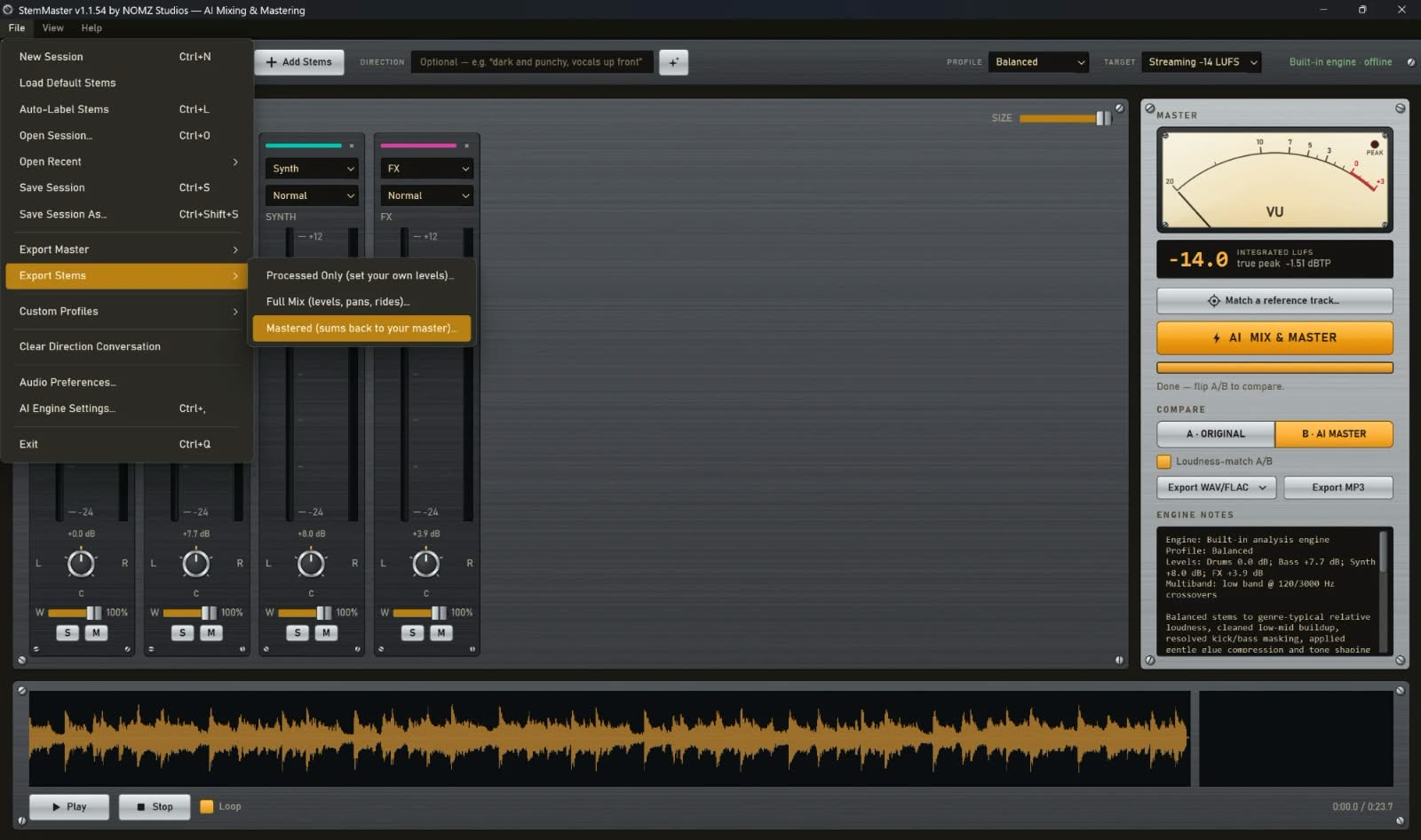
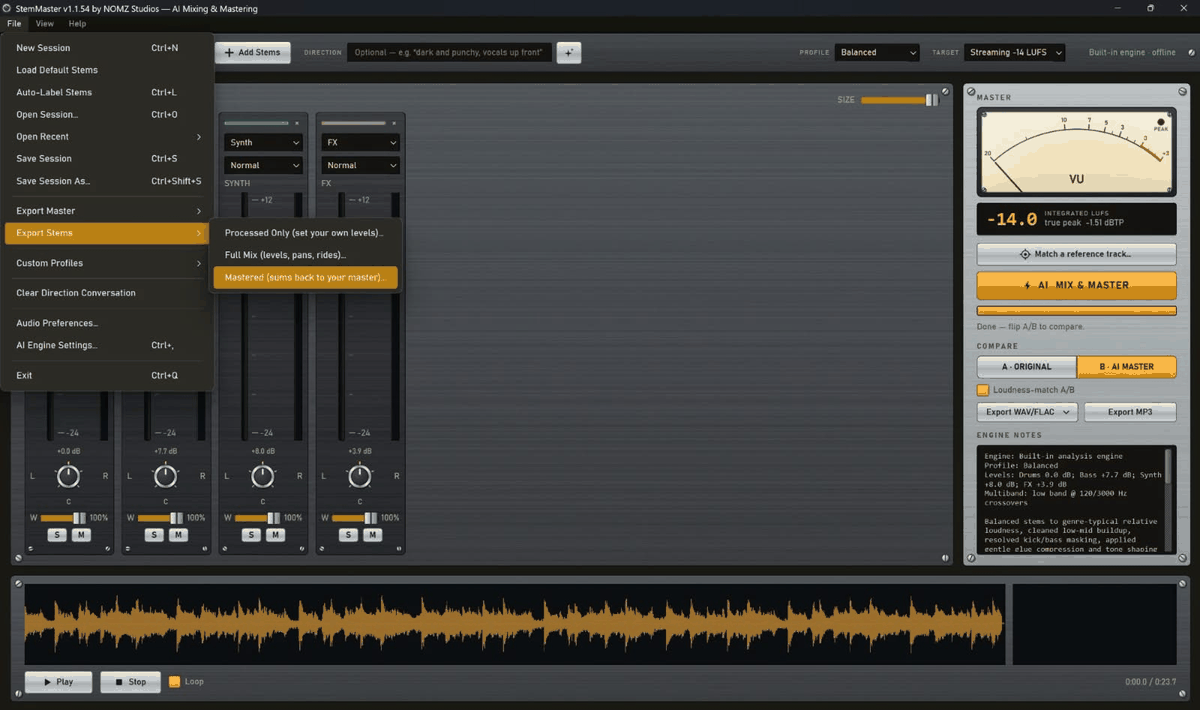
- Export stems that add back up to your master — File → Export Stems → Mastered writes one file per stem with each one carrying its share of the master bus, so summing them reconstructs your master rather than approximating it. That is what stem delivery means to a mastering engineer: hand the set to a client and they can lift the vocal a decibel without the master being re-made.
The two existing modes are unchanged and still the right answer most of the time — Processed Only for the cleanup at unity gain, Full Mix for the mix as you heard it with nothing from the bus, which is the one to take if you intend to master it yourself. The new set is already mastered.
The reconstruction is measured, not claimed: the app is tested by summing the exported stems, subtracting the master and requiring what is left to be inaudible. It comes out about 130 dB down. The first file takes a little longer to appear than in the other modes, because your master is re-rendered once to measure precisely what the bus did at every moment. - An available update now says so until you deal with it — When StemMaster found a new version at startup it put a line in the status bar for thirty seconds and then said nothing more. Those thirty seconds are exactly when you are loading stems and not looking at the bottom of the window, so in practice the app checked, found an update and told nobody — until you happened to open Help → Check for Updates yourself.
There is now a marker in the bottom-right corner that stays there. Click it for what is in the release and a button to go and get it. It does not interrupt you, it does not download anything, and it survives every other message the app shows while you work. - File → Open Recent — The last eight sessions you saved or opened, newest first, so coming back to last week’s song is not a trip through a file dialog.
A session whose file is not there at the moment — a drive you have unplugged, a share that is offline — drops out of the list rather than being deleted from it, and comes back on its own when the file does. The automatic restore when you launch the app is not counted, or whatever you had open last would sit at the top for ever.
1.1.53
Two labelling fixes: the box now says where strings go, and the AI labeller can finally pick Sample.
- The label box says Keys/Strings — Strings, violins, cellos and orchestral parts belong on Keys — that is where the app has put them since 1.1.18, and the treatment is chosen for them: a string bed is placed a little further back than a synth because it supports rather than leads, its compressor moves more slowly to suit a bowed swell, and it is high-passed lower because violas and cellos carry real low-mid content.
What the app never did was say so. If your file is called Strings.wav it is labelled for you, but anyone whose file is named something else was reading a list of ten labels with no obvious home for a string section. The box now reads Keys/Strings. Nothing about the mix changes — it is the same label with a clearer name on it. - Auto-Label can now recognise a sample — File → Auto-Label Stems uses the AI engine when you have one configured, and it was never told the Sample label existed — so it could return any of the other nine and never that one. A chopped piece of another record picked up by name (samp, chop, flip) was always labelled correctly; one whose name gave nothing away was not.
It matters because a Sample is not an instrument: it arrives carrying somebody else's kick, bass and mastering, so it keeps its low end where an unrecognised stem would be cut at 60 Hz, and it is compressed less because it has been through a mastering chain once already.
1.1.52
A stacked vocal group is levelled on the lead now, not on whichever layer happens to be loudest.
- The lead vocal, not the ad-lib — When you load several vocal tracks, StemMaster places the whole group by one of them, so the lead is not pushed down by how much is stacked around it. It used to pick the loudest track for that job — which is the lead most of the time, and is not the lead when a printed ad-lib, a doubled hook or a vocal effect is hotter than the main take. When that happened the whole group was seated on that one layer and every vocal went down with it.
It now picks by how much of the song a track actually carries as well as by how loud it is: of the takes that run through the song about as much as the busiest one, it takes the loudest. A lead runs through the song; an ad-lib is sparse. A genuine stack — a doubled lead, a harmony pile — is placed exactly where it was before, because there the loudest really is the right seat.
Reported by someone testing a four-vocal session where the ad-lib was the loudest track. The engine still names the track it chose in the notes, so you can check it. - It says when your direction was overruled — The DIRECTION box applies a trim on top of the levelling, not an override of it. So asking for vocals up front adds a little, and if the levelling has already decided the vocals belong several dB down, the cue is applied and you cannot hear it. That used to happen silently — the notes said the direction was applied, which was true and not the whole story.
Now it says so: what the cue asked for, where the stem actually ended up, and that raising that fader after mastering is the way to get what you asked for. Same as the notes already do for a stem that hit the gain ceiling or a bass lift that was held back.
1.1.51
The DIRECTION box will now show you the words it listens for, with no API key needed.
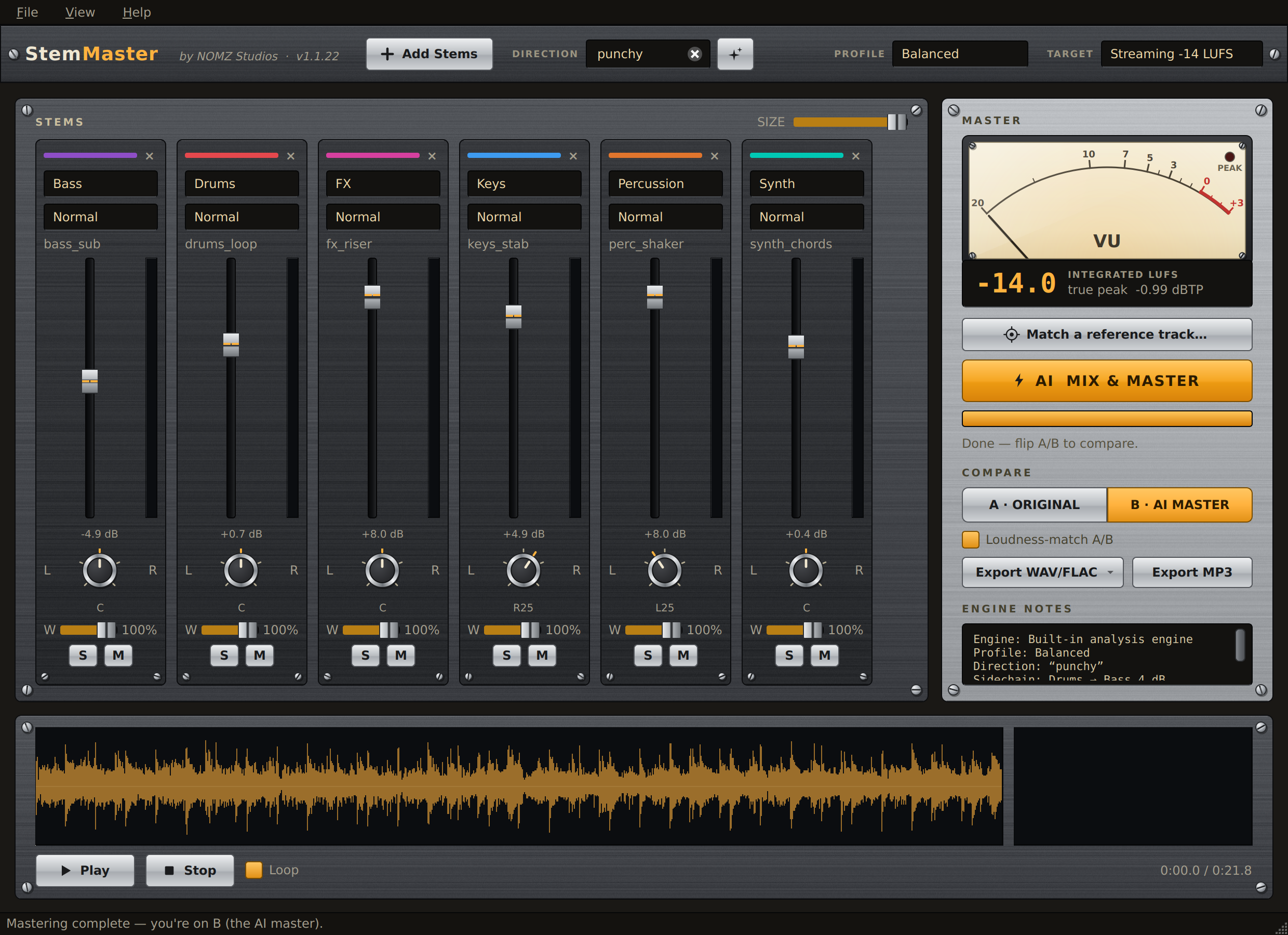
- The cue palette — The built-in engine understands a fixed list of terms rather than reading your sentence, and until now the only way to learn them was the manual. The button beside the DIRECTION box now opens them: every word that engine listens for, grouped by what it changes — tone, weight, character, space, and bringing a part forward. Click one and it types itself into the box, so you can pick a word and carry on writing around it.
Two details worth knowing. Cues that only lift a named stem are greyed out when your session has no such stem — there is no point offering to bring the guitar up in a song with no guitar in it. And the words light up as you type: write vintage tape and the warm cue lights, because that is the one your sentence just triggered.
The button is the same one that asks the AI for suggestions, and it follows whichever engine is set to read the box. On the AI engine it does what it always did and pitches four directions written for your actual stems. On the built-in engine it opens the palette. It used to refuse here and send you to Settings to enable an engine that does not need a vocabulary at all, which was exactly backwards.
Screenshots
Accuracy notes
Two things are easy to get wrong, and we would rather they were right in print.
- “Offline” needs one qualifier. The mixing and mastering engine is local and is the default: no key, no connection, and it is what the free demo runs on. The LLM engine is optional and off unless switched on, uses the customer's own API key, and receives measurements only. Licence activation contacts our store once, then runs offline with a 30-day revalidation window.
- We are not the only tool that touches stems. LANDR and eMastered both offer stem mastering. The difference is that StemMaster mixes a full multitrack — dozens of tracks, not a handful of submix stems — before mastering it, runs locally, and is bought once. Our own comparison, including where a cloud service is the better choice, is at /compare.
Check the stem export yourself
StemMaster's Full Mix stem export reconstructs the pre-master mix exactly — sum the exported stems at unity and you get back the mix that was handed to the master bus. That is asserted in the automated test suite on every commit, and the build fails if the residual rises above −60 dB.
Taking that on trust is unsatisfying, and the free demo cannot settle it, because exports are disabled in the demo. So here are the files: a mix, its exported stems and the master, straight out of the application.
Download the null-test pack — 21.6 MB, 24-bit FLAC, with instructions included
Import the stems, set every fader to unity, invert the mix, and play. Measured on these exact files the residual is -142 dB — arithmetic noise rather than any real difference. If yours does not drop into the floor, the claim is wrong and we would want that said. It takes about thirty seconds and needs nothing installed.
The null is against the mix, not the master, and the distinction is the whole point: a master bus responds to the sum, so stems taken from before it cannot reconstruct what comes out after it. Anything sold as “mastered stems” that claims to null against a finished master is worth a second look.
Coverage so far
- Noizefield — 80% review
- KVR Audio — news
- rekkerd — news
- Audiofanzine — news, French
- Monthly Mixing — news, Korean
Where the features come from
Some of what ships here starts as a stranger's aside. Both examples below happened in public on our Gearspace thread — which is our own New Product Alert post, not a Gearspace review.
Custom profiles exist because a tester argued for them. He pointed out that a technically clean master of a classic record is a clean master of a record that is not clean, that six built-in profiles were never going to be a map of recorded music, and that the knowledge needed to fix that was not ours to encode. Profiles became writable nine days later.
The string stems in the current release were a producer noticing in passing that he had been labelling his by hand. He had to: the automatic labeller had no entry for “string” at all — not violin, cello or orchestra either — so every one of them was falling through to Other and losing its high-pass and compressor conventions. It had been that way since launch and nobody had said so out loud.
Both are named in the release notes, and both wrote what they wrote without being asked.
Company
NOMZ Studios is the trading name of Nomzstudios For Online Selling, a sole establishment registered with the Dubai Department of Economy and Tourism. Trade Licence 1641318, Commercial Register 2901623. Payments are processed by Polar as merchant of record.